Invoicer: A Simple POS and Stock Manager for Small Businesses

Invoicer POS and Stock Manager give business owners a mobile way to track daily sales, manage inventory, and generate reports right from their smartphones.

Many small businesses in Nigeria manually manage sales and inventory. Shop owners often rely on physical notebooks, spreadsheets, or their memory to track transactions and stock levels. This may have been the norm, but it proves inefficient as the businesses grow and daily transactions increase.
That is where Digital point-of-sale (POS) and inventory tools come in, and they are gradually changing how small and medium enterprises (SMEs) operate.
Apps like Invoicer now allow business owners to track sales, monitor their stock, and generate reports directly from their smartphones.
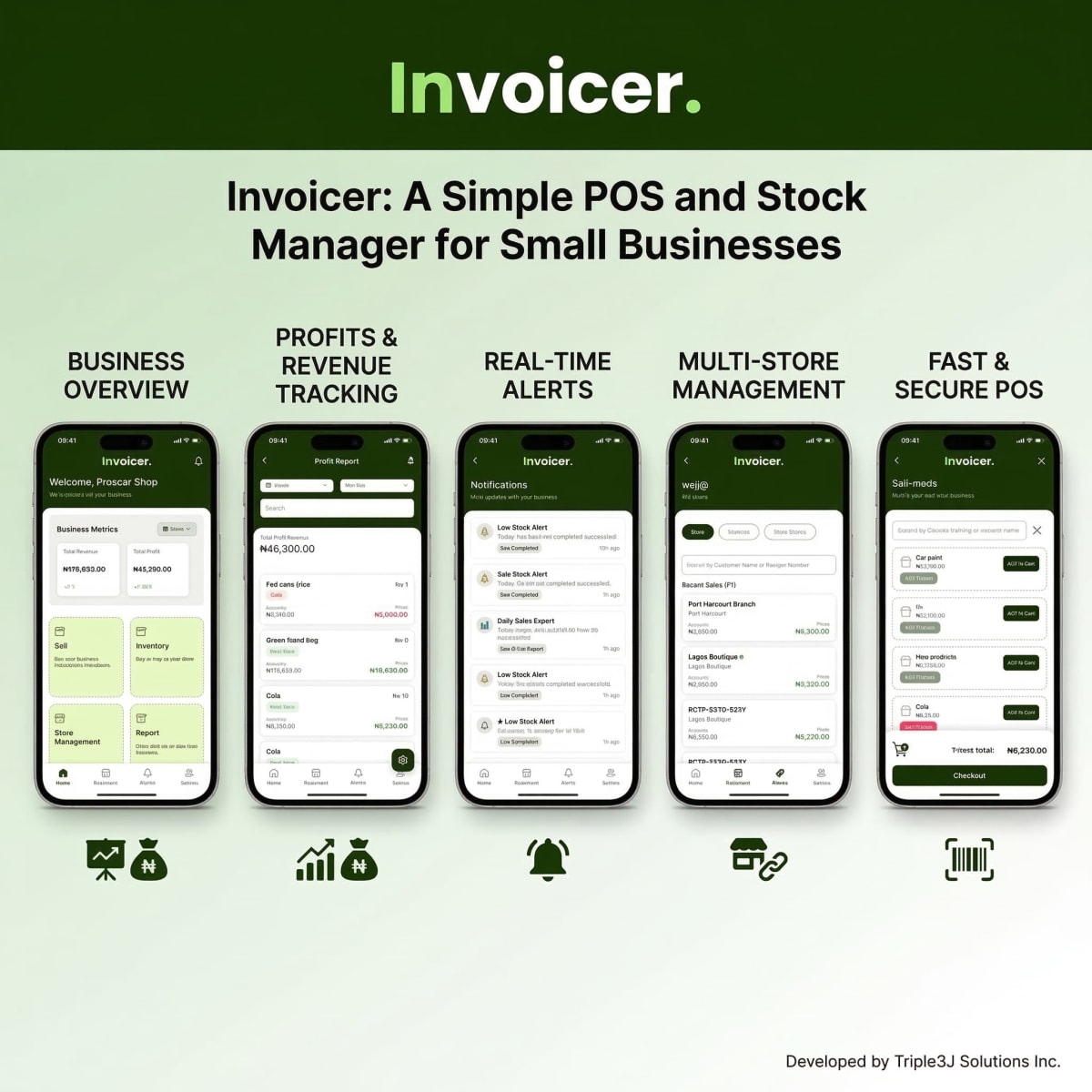
Invoicer is a mobile application that combines point-of-sale functionality with inventory management tools. It is designed primarily for small and medium-sized businesses that need a simple way to manage sales transactions and track stock levels.
According to its listing on the Google Play Store, the app enables business owners to process sales, monitor inventory in real time, track expenses, and generate business reports from one dashboard. By integrating these functions into a single system, the app aims to reduce the need for separate tools or manual record-keeping.
It is designed as an all-in-one business management tool, which aims to simplify everyday retail operations by combining sales processing, inventory tracking, and reporting into a single platform.
This review explores the app’s features, potential benefits, and how it may fit within small-business workflows. The platform is particularly targeted at businesses such as retail stores, supermarkets, and other small enterprises that manage physical products and frequent transactions.
Key Features of the Invoicer App
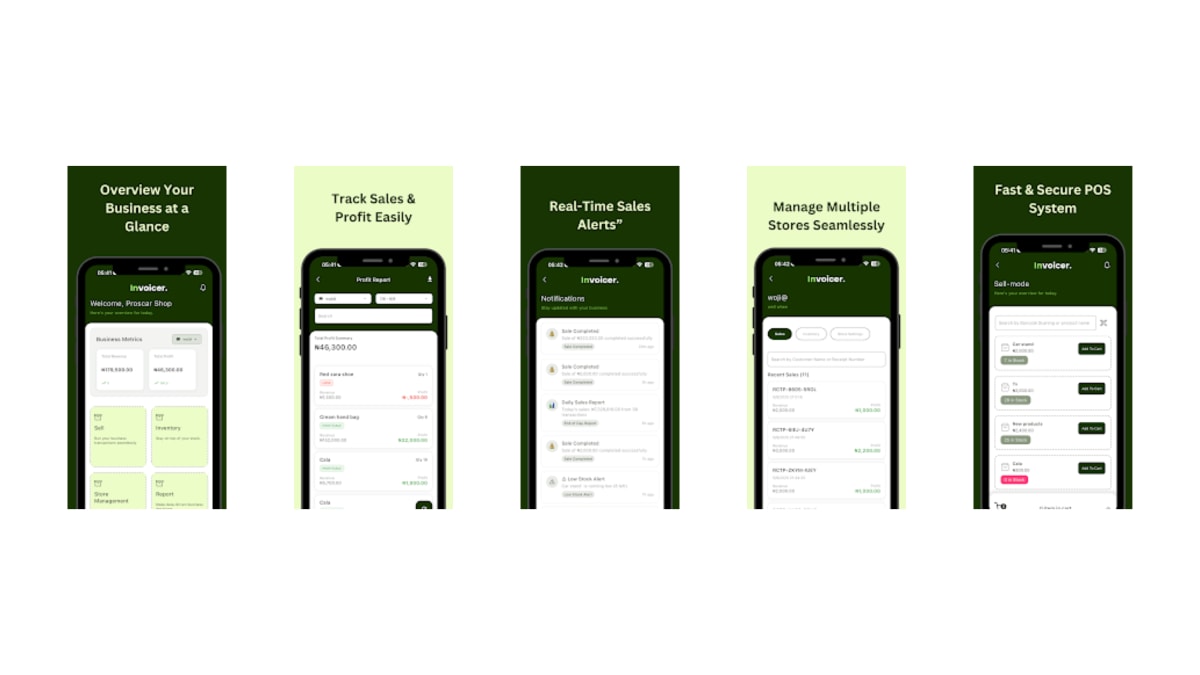
Key Features of the Invoicer App
1. Smart Point-of-Sale System
The app’s core feature is its POS system, which allows users to record sales transactions quickly and securely. This feature helps business owners process purchases while automatically updating sales records.
2. Real-Time Inventory Tracking
As sales are recorded, stock quantities are automatically updated, giving business owners a clearer view of which products are running low and when restocking may be necessary. This is all tracked directly by the business owners from their mobile app.
3. Sales and Expense Reporting
It also provides sales summaries and expense tracking tools that allow users to review their financial activity over time. These reports can help business owners better understand their revenue patterns, identify high-performing products, and monitor business expenses.
4. Multi-Store and Multi-User Support
For businesses operating in more than one location, the multi-store functionality allows owners to manage operations across different branches from a single account.
The app also supports multiple users, which means staff members can access the system depending on their role within the business.
5. Online and Offline Functionality
Internet connectivity can be inconsistent in many areas, making offline functionality important for business tools. Invoicer supports both online and offline operations, allowing transactions to continue even when the internet is unavailable.
Why Tools Like Invoicer Matter for Small Businesses

Small and medium enterprises (SMEs) contribute as much as ~48% to the Nigerian GDP, yet many still operate without proper digital management tools that could effectively scale their business operations.
This leads to inaccurate records, inventory losses, and limited financial visibility. This reality is made even more pressing by current regulatory demands, where poor record-keeping can result in severe financial penalties.
Mobile applications like Invoicer address these issues by providing simple digital systems. Instead of maintaining paper ledgers or manually calculating daily sales, business owners can rely on automated tools to manage their operations efficiently.
Potential Advantages and Limitations
Like most digital tools, Invoicer offers several potential advantages but may also present certain limitations depending on how businesses intend to use it.
Advantages
One of the main advantages of the app is its all-in-one functionality, combining POS, inventory management, and reporting in a single platform. This integration helps simplify daily operations for small business owners.
The offline capability also makes the app more practical for our environment, where internet access may not always be reliable.
Possible Limitations
While the app provides several useful tools, businesses with more complex operational needs may eventually require more advanced systems with deeper integrations, analytics, or accounting features.
Additionally, as with many business management tools, the overall user experience will depend on factors such as interface design, stability, and how consistently the app receives updates and support.
Conclusion
As small businesses continue to adopt digital tools, mobile POS and inventory applications are becoming increasingly important for managing day-to-day operations. By combining sales processing, stock tracking, and reporting in one platform, Invoicer: POS & Stock Manager attempts to provide a simple solution for entrepreneurs who want better visibility into their business activities.


